Starter
For your first zombie video.
$9.90USD / one time
1 video$9.90 per video
Single-video price
- 15-second video · 9:16 or 16:9
- Music and ambient sound
- MP4 download, no added watermark
- Video credits that never expire
Your two-photo zombie love story
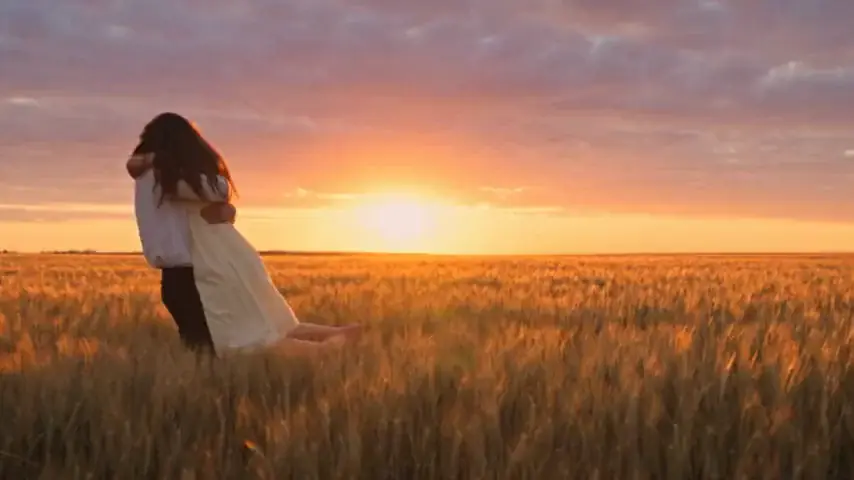
Add two photos. Create a zombie love story with a reunion and a warm memory.
JPG, PNG or WebP · Up to 8 MB per photo
Your photos stay private. You choose when to create.
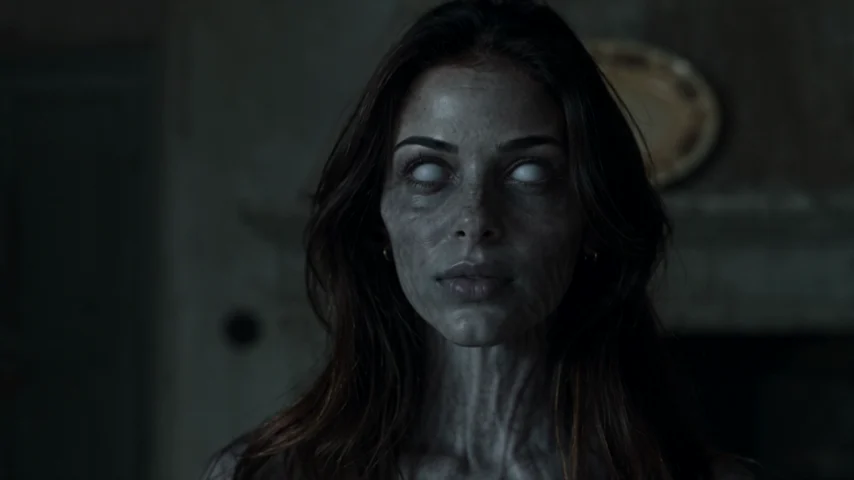
A familiar face in a changed world.
THE STORY BEHIND THE HUG
The AI zombie trend is a short video story where someone recognizes a loved one who has become a zombie. Fear turns into an embrace, then a cut reveals a happier memory of the same two people. You may also know it as the zombie love story or zombie hug trend.
THE ENCOUNTER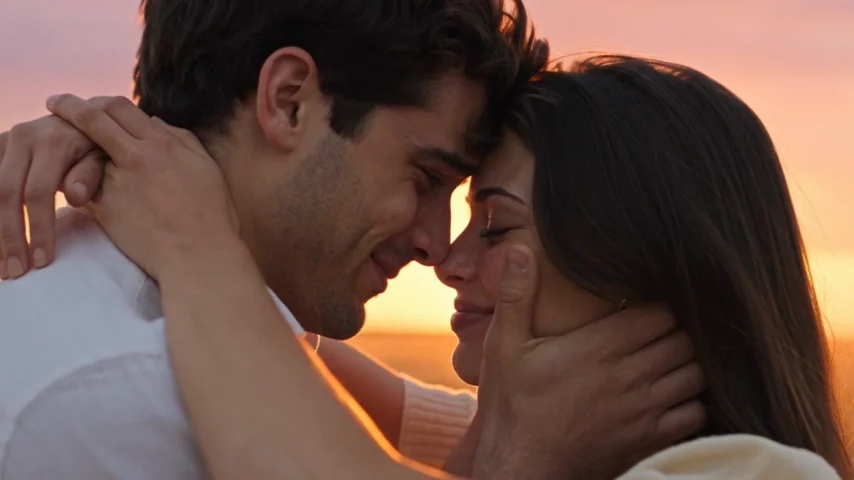 THE MEMORY
Two frames from the same AI Zombie example film. Your result will vary.
The emotional turn is what connects these clips on TikTok, Instagram Reels and YouTube Shorts. The setting looks frightening, but the relationship drives the ending. A familiar gesture matters more than a dramatic monster reveal.
Our take on the AI zombie trend uses two adult portraits to create a 15-second reunion film with music and ambient sound. The zombie appearance stays restrained, without blood, biting or graphic injuries. You supply the faces; the story is already arranged.
One person has changed. The other still sees someone they know.
Fear gives way to recognition. The story pauses on that choice.
The distance closes. What looked like a threat becomes a reunion.
The scene changes, but the connection carries into a happier moment.
YOUR PHOTOS. YOUR PEOPLE.
Start with two portraits. Leave with a little film about the person you would still choose.
Sign in and upload one clear photo of each adult. Put the person who becomes the zombie in “The one who turns” and the human in “The one who stays.” Check both faces before continuing.
Choose 9:16 for a vertical video or 16:9 for a wider composition. Confirm permission from both adults, then choose a video pack if you need credits. Buying a pack does not start the video; you confirm when to generate.
Follow progress in My videos. When your 15-second film is ready, watch both faces and the reunion before downloading the MP4 with sound. Save it within 30 days. Each new version uses another video credit.
Both people must be adults and agree to the video. Check the role labels before generating; different tools may put the zombie photo in a different slot.
BEFORE YOU MAKE IT. BEFORE YOU SHARE IT.
A clear starting photo and a careful final watch help you make an AI zombie trend video you actually want to keep.
Choose a recent, well-lit portrait with one person and their whole face visible. Skip sunglasses, face coverings and heavy beauty filters. Two photos with similar framing make the roles easier to check. Use JPG, PNG or WebP, up to 8 MB each.
AI can still change features or invent motion. After generation, look at both faces, the hands during the embrace and the transition into the memory. An exact likeness is not guaranteed.
Choose 9:16 if you want a tall composition for a social feed. Choose 16:9 if you prefer a wider film frame. Keep the existing sound, or add music you are allowed to use when posting to TikTok, Reels or Shorts.
Tell viewers the clip is AI-generated. Preview the post before sharing so captions and app controls do not cover either face. Download your original MP4 first, so you have a copy outside the social app.
AI ZOMBIE VIDEO PRICING
Pay once. Create when you’re ready. No subscription.
For your first zombie video.
Single-video price
Try a few versions of your story.
Save 16% vs. buying single videos
Make videos with different people.
Save 19% vs. buying single videos
Confirmed generation failures return your video credit automatically. Cash refunds follow our Refund Policy. Applicable taxes are shown before payment.
A FEW THINGS TO KNOW
Apps, prompts, sound and what you can make here.
Compare story and filter tools Packs, credits & refundsYou can make it here in your browser. AI Zombie provides a prepared two-person story, so there is no editing app to install. Other creators use different video tools and templates; there is no single app you need to recreate the format.
No prompt is needed in this generator. The story is already arranged around recognition, reunion and a warm memory. You choose the two people, their roles and the video format. It does not offer a custom script or a choice of settings.
You can watch examples and create an account for free. Generating your own film requires a paid video credit. One-time packs start at $9.90; there is no subscription or free generation trial. A confirmed generation failure returns your video credit automatically.
Your video comes with music and ambient sound, so you can keep its original audio. If you want the sound from a particular social post, check that post’s audio attribution. You can add music you are allowed to use in your social app; this generator does not include a song picker.
You can make it with a partner, an adult family member or a friend, with permission from both adults. This generator supports two adult people. It does not currently offer a pet mode or accept photos of children.
A face filter changes the appearance of a photo or selfie. This version of the AI zombie trend makes a moving story between two people, including a reunion and a warm memory. It is fictional and AI-generated; facial details and movement can differ from your photos.
Make the AI zombie trend personal. Two photos. Your own reunion.
Create my zombie story A fictional film. A familiar connection.