Zombie Couple AI Video Generator
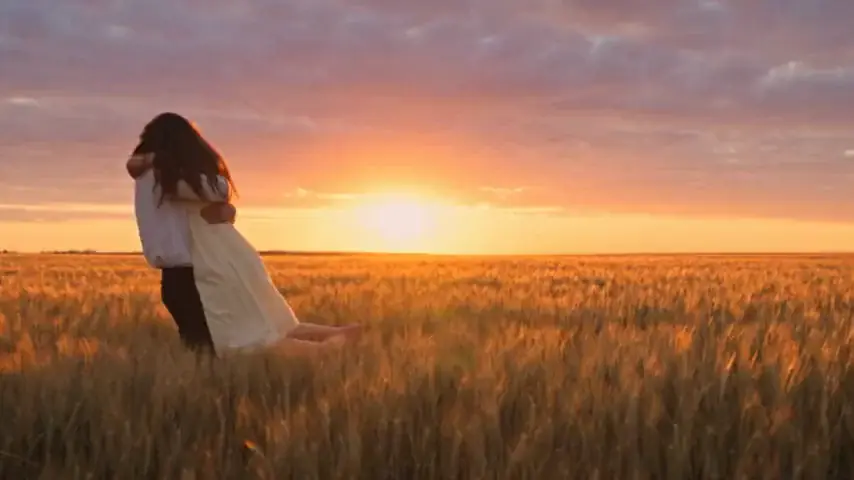 Generated with AI Zombie
Two people. One impossible choice.
What would you do if the person you love came back as a zombie? Turn two portraits into a fictional 15-second film about recognition, hesitation, and the moment you choose each other anyway. With our zombie couple AI generator, you decide who turns and who stays human. We create the moving scenes and sound around those two roles.
Two adult photos · 15-second MP4 · Music and ambience · 9:16 or 16:9
Create Your Zombie Couple AI Video
Choose one clear portrait for each adult. You do not need a photo together, a costume, or a written prompt. Decide which person changes in the fictional story before you upload.
JPG, PNG or WebP · Up to 8 MB per photo
Your photos stay private. You choose when to create.
I would know you
anywhere.
A familiar face in a changed world.
The one who turns: The partner who appears as a zombie.
The one who stays: The partner who recognizes them and remains human.
JPG, PNG or WebP · Up to 8 MB per photo · Both people must be consenting adults.
480p Standard: 25 credits · 720p HD: 50 credits. Each generation makes one 15-second video. Review your cost before confirming; a new version uses credits again.
See the Story Before You Make Yours
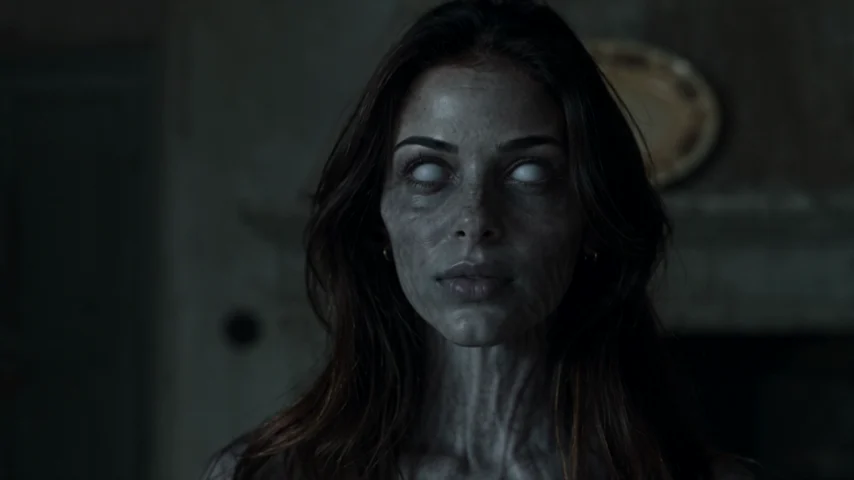
THE ENCOUNTERThe encounter. In a cold, unfamiliar place, the changed partner is still recognizable. The survivor hesitates rather than simply running away.
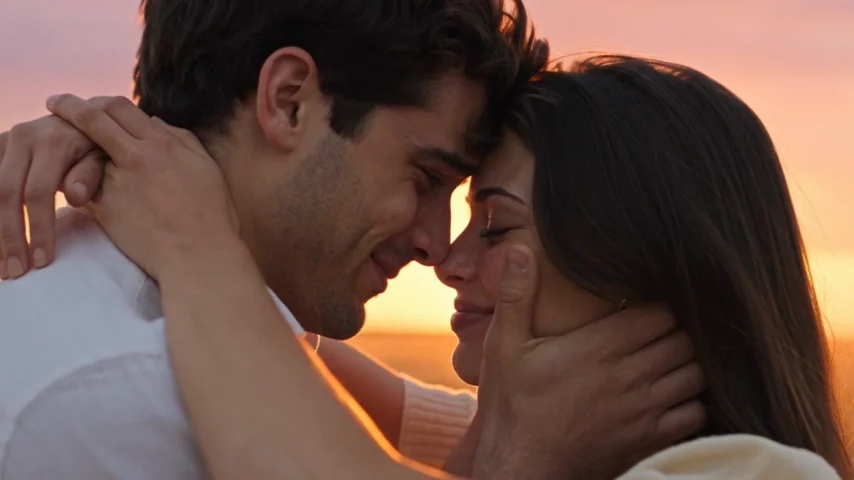 THE MEMORY
The memory. The mood shifts to a warmer moment with the same two people. The embrace connects the frightening present to an imagined earlier time; it is not footage of a real shared memory.
These are frames from an AI Zombie example film, not a guarantee of how your video will look. Faces, clothing, movement, and scene details can change in the generated result.
What Is Zombie Couple AI?
Zombie couple AI is a way to create a short, fictional video with two recognizable people at the center of a zombie-apocalypse scene. One has transformed. The other still sees their partner behind the frightening appearance. Instead of ending with an attack, the scene becomes a reunion and leads into a happier memory.
Unlike a one-face zombie filter, this is a moving story about two people. Your photos guide their appearances while AI generates a new performance, setting, and soundtrack.
The popular couple-video format sometimes includes a weapon or a dramatic standoff. Our prepared story focuses on recognition, hesitation, an embrace, and the shift into memory. It does not let you choose a specific prop, camera move, location, or ending. The zombie styling is restrained rather than graphic.
How to Make a Zombie Couple AI Video
1. Pick two portraits and agree on the idea
Talk to your partner before using their photo. Both people must be at least 18 and agree to have their portraits used as AI video references. Choose one well-lit image of each face, ideally at a similar size. Two separate selfies from different days are fine; you do not need matching outfits or backgrounds.
2. Decide who becomes the zombie
Place the transformed partner in The one who turns and the surviving partner in The one who stays. You can reverse the story by swapping the two portraits. The labels—not gender, photo order in your gallery, or who is standing on the left—determine the roles. Check both previews before spending credits.
3. Choose the frame and video quality
Select 9:16 Vertical if you plan to share on TikTok, Reels, or Shorts. Choose 16:9 Landscape for a wider screen. The story runs for 15 seconds in either format. Standard 480p uses 25 credits, while 720p HD uses 50. A one-time Starter pack costs $9.90 and includes 50 credits, enough for two Standard videos or one HD video.
4. Generate, review, and download
Sign in, confirm that both adults gave permission, and start generation only after reviewing the cost. Your video appears under My videos when it is ready. Watch both characters through the encounter and the memory, not only the opening frame. Download the MP4 with its music and ambient sound within the 30-day availability period. You can leave the page while a task processes and return to the same account.
Zombie Couple AI Use Cases
Zombie couple AI works best when the relationship is clear. Give the prepared film your own meaning through the people you cast and the caption you add afterward.
A playful anniversary surprise
Make a fictional version of the person you would choose even at the end of the world. Share it privately first. A caption like “Still choosing you, even in the apocalypse” keeps the joke affectionate without treating the AI film as a real memory.
A long-distance couple reunion
Partners in different cities may not have a recent picture together. Each can provide an authorized selfie, and the fictional scene brings the characters together. It is not a real reunion, but it can make a thoughtful surprise.
A Halloween couple post
If you both enjoy spooky films, the quiet change from an eerie encounter to a warm memory gives you a Halloween concept without elaborate makeup or filming. The generated film is non-graphic, so the mood comes from recognition rather than violence. Use a vertical frame if your main destination is a phone feed.
Better Photos Make the Couple Easier to Recognize
Choose a front-facing or gentle three-quarter angle, natural facial detail, and even lighting. Avoid sunglasses, heavy beauty filters, deep shadows, and pictures with several people competing for attention. Keep enough of the head and shoulders visible that the model has context. If you only have a photo of both of you, crop it into two separate portraits before uploading; each file should clearly show one adult.
After generation, check whether the same person is recognizable in both parts of the story. Pay special attention to hands, face changes during contact, and the cut into the warmer scene. AI can invent details even from excellent portraits. If the identities look wrong, replacing a weak photo is usually a better next step than assuming another generation will automatically fix it.
Zombie Couple AI FAQ
Can I make a zombie couple AI video with one photo of us together?
The generator has two separate portrait slots, one for each adult. Crop a shared picture into two files, with one clear face in each, or choose two individual selfies. Uploading the same unedited group image to both slots can make role assignment ambiguous.
Can my boyfriend or girlfriend be the zombie?
Yes. Either adult can play either role. Put the person who transforms in The one who turns and the other in The one who stays. The prepared story does not require a particular gender pairing.
Is the zombie couple AI generator free?
You can view examples and create an account for free, but generating a video requires purchased credits. Packs start at $9.90 with no subscription. Standard 480p costs 25 credits; HD 720p costs 50 credits for each 15-second video. Check current pricing before you buy.
Do I need a prompt or video-editing app?
No. This page uses a prepared story, so you choose the adults, their roles, format, and quality rather than writing a script. The result already includes music and ambient sound. You can use another editor afterward if you want to add captions or licensed music, but that is optional.
Will our faces and the hug look exactly right?
Not necessarily. Your photographs are visual references, not exact frame-by-frame instructions. Faces, outfits, hand positions, and timing may vary. The memory is also newly generated, not a reconstruction of a real date or holiday. Review the finished video before sharing it.
Can I use children, celebrities, or pet photos?
This generator is for two consenting adults. It does not support children or pets, and you should not upload anyone's portrait without permission. For another type of character or custom story, use a tool designed for that purpose rather than changing the labels here.
Is this the same as the zombie love story trend?
It is one couple-focused way to make that type of fictional story. If you want a broader explanation of the narrative, see our AI Zombie Love Story page. For the current social-video format, read AI Zombie Trend. This page is primarily for casting two partners and generating their video.
Make the Story About the Two of You
You bring the relationship and decide who changes. Zombie couple AI turns those two authorized portraits into a short imagined encounter, an embrace, and a memory you can watch together. Start with two clear faces, check the roles, and create a film that is yours to share—with both people's agreement.